
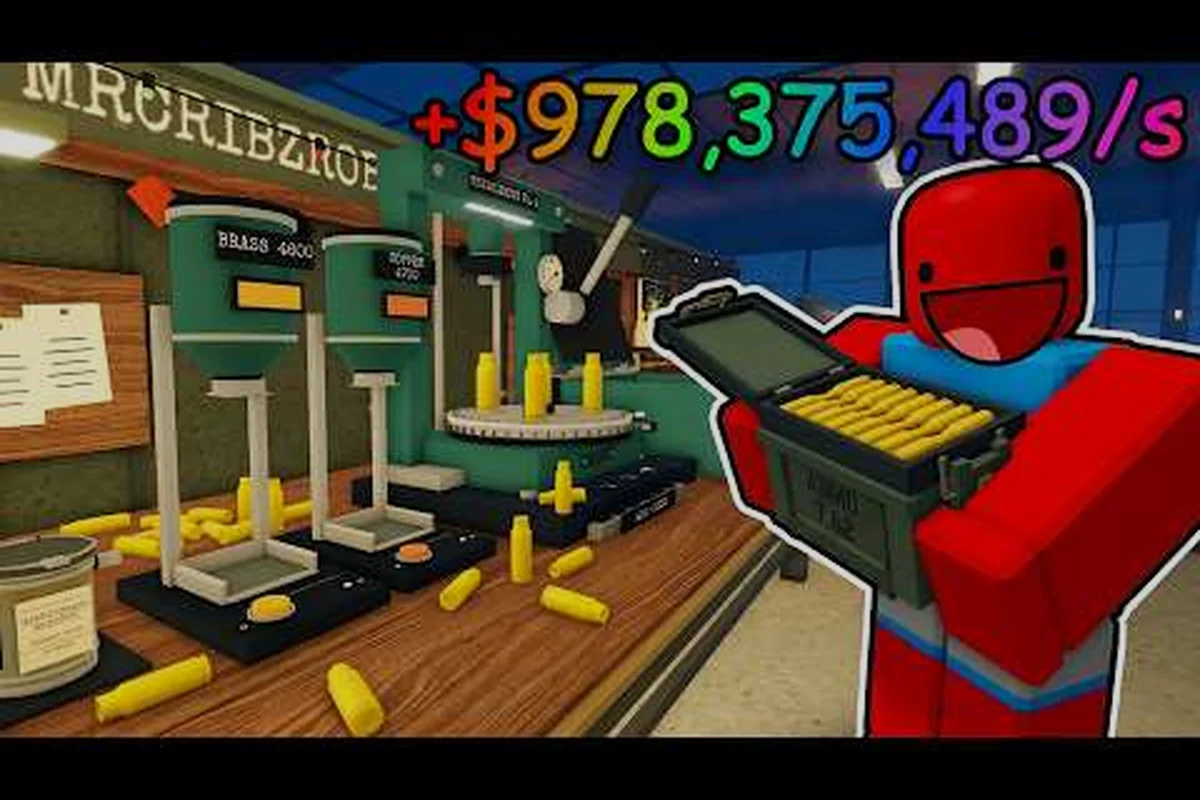
A reliable BRASS HELL factory map makes every shift faster: you can reach the press, crate area, and shipment point without losing time, while checking the facility’s less obvious corners for files. Learn the layout, recognize each station, and find every document hiding place.
BRASS HELL Factory Map Overview
The BRASS HELL factory map is built around a compact industrial loop with distinct work areas, storage zones, and narrow connecting passages. Knowing the shape of the facility helps because you must alternate between gathering materials, processing them, and delivering finished goods while the blizzard closes in.
The central landmarks are the Press Station, Crate Area, and Shipment Point. Each serves a different purpose, so memorizing their positions prevents the common mistake of carrying an item toward one objective only to discover it belongs somewhere else. A clear map layout also leaves more time for scavenging, since search routes become shorter.
| Factory landmark | Main purpose | Why it matters |
|---|---|---|
| Press Station | Processes gathered materials | Converts basic inputs into usable factory goods |
| Crate Area | Stores supplies and materials | Provides materials for production and shipments |
| Shipment Point | Accepts completed orders | Connects crafting progress to delivery objectives |
| Peripheral rooms | Holds optional files and supplies | Supports hidden-document and resource searches |
| Connecting corridors | Links the main work areas | Reduces backtracking during a shift |
The core route through the facility
A reliable first loop begins at the Crate Area, where you identify the materials needed for the current order. From there, move to the Press Station and complete the required processing. Finally, carry the result toward the Shipment Point before investigating optional corners or searching for documents.
This route is useful because it establishes a repeatable workflow. You do not need to memorize every corner before beginning, but you should understand the relationship between the three main stations. Once that relationship is clear, unfamiliar passages become easier to interpret as routes between landmarks rather than random corridors.
How to read the map layout
The facility’s industrial zoning provides useful landmarks. Heavy equipment and machinery indicate the press area, stacked containers identify the crate zone, and the loading route leads toward the shipment zone. Doorways connecting these regions may look similar at first, but their nearby objects make them easier to distinguish.
| Visual cue | Likely location | Navigation value |
|---|---|---|
| Large press machinery | Press Station | Confirms the production area |
| Stacked shipping crates | Crate Area | Marks the main material reserve |
| Loading lane or delivery marker | Shipment Point | Signals where orders leave |
| Narrow side passages | Optional search zone | Leads to files and useful supplies |
| Open central junction | Route connector | Helps maintain orientation |
Plan before crossing the facility
Take a few seconds at the start of a shift to identify the next required item and its destination. This prevents inefficient trips, especially when a route crosses several active spaces. If you already know where files tend to appear, the document search companion can be used alongside this map instead of relying on random exploration.
BRASS HELL Press Station and Crate Area Guide
The BRASS HELL stations guide should begin with the press and crate areas because these locations form the production loop. The press is where materials change state, while the crates supply the inputs needed for that change. Learning both zones prevents wasted searches and clarifies the purpose of each object you pick up.
Press Station: the map's clearest fixed landmark
The Press Station is the map’s clearest fixed landmark because its heavy machinery occupies a recognizable visual footprint. Treat the machine, its nearby working space, and the approach to it as one functional zone. This matters when the factory is crowded because you can recognize the destination from a distance instead of inspecting every corner.
A practical station routine is simple:
-
Confirm the required material in your inventory or objective panel.
-
Retrieve the input from the Crate Area or another designated supply point.
-
Bring the material to the Press Station without changing objectives mid-process.
-
Collect the processed result and verify what must happen next.
-
Head to the Shipment Point if the order is ready, or investigate nearby rooms if it is not.
| Press workflow | Player action | Common mistake |
|---|---|---|
| Input selection | Match material to the current requirement | Processing an item that cannot contribute |
| Machinery use | Activate the press and wait for completion | Leaving before the result is collected |
| Result collection | Secure the processed output | Assuming the station stores it automatically |
| Delivery | Carry the correct goods to the shipment point | Returning to the crate area with finished goods |
Crate Area: supplies, storage, and detours
The Crate Area is more complex because it can serve both required and optional purposes. Containers may hold ordinary materials needed for production, but side stacks and peripheral objects can contribute to document searches. Scan the area from the outside in: identify the obvious shipment crates first, then inspect less regular gaps along the walls.
Players often treat the crate area as a single point on a map. In practice, it is better to divide it into the central stack, the peripheral stacks, and the connecting aisle. That three-part model reduces repeated searching because you remember which subsection you already checked.
Distinguishing production from collection
Some objects are visually similar even when their functions differ. Production materials should be moved toward the press; processed goods belong in your possession until delivery; documents are collectible objectives rather than crafting inputs. Keeping these categories separate makes the BRASS HELL map layout easier to interpret under time pressure.
The broader factory exploration guide adds useful room-reading strategies, but this article focuses on where the main station relationships fit into that route. Use the map plan to decide which area deserves attention, then apply careful corner checks when searching.
BRASS HELL Shipment Point and Delivery Routes
The Shipment Point completes the production chain, making it one of the three essential locations in the BRASS HELL factory map. It should also function as a navigation anchor: once you can identify the loading lane, you can determine whether the press lies ahead, behind, or across the facility.
Finding the shipment area
Look for the route associated with outgoing orders rather than relying on a single object. Loading surfaces, directional markings, and the absence of raw-material storage can help distinguish the shipment zone from the crate area. If both locations contain boxes, the presence of machinery on the opposite side of the room is a stronger clue.
| Location | What you carry there | What you do next |
|---|---|---|
| Crate Area | Raw materials and supplies | Process items when required |
| Press Station | Materials awaiting conversion | Collect completed goods |
| Shipment Point | Finished or order-specific goods | Complete the delivery |
| Side rooms | Optional files or resources | Return to the main route afterward |
Choosing the shortest delivery line
After collecting a finished order, head directly toward the Shipment Point rather than opening a new search route. Optional objectives can wait until the delivery is secure, because an unsuccessful attempt to complete an order may cost more time than the additional search would have saved.
A good rule is to maintain three priorities: complete the active order, collect required production inputs, and search for optional files. This hierarchy prevents a promising side room from drawing you away from an urgent shipment. It also makes document hunting more efficient because exploration happens only after the main route is stable.
Using delivery trips to map the facility
Every shipment creates a natural checkpoint. If you remember what you passed on the way to the loading lane, you can build a mental map of connecting rooms and shortcuts. The return trip can then be used to search for optional items without adding unnecessary distance.
For example, suppose the crate area is reached through a narrow corridor beside the press. After delivering an order, return along that same corridor and inspect the wall-side gaps you may have skipped. This technique turns the journey to the Shipment Point into both a delivery route and a discovery route.
Search the Facility's Edges Systematically
Document hunting is most effective when you search systematically rather than treating every corner as equally likely. The BRASS HELL where to find documents answer begins with the facility’s edges: side rooms, desks, storage recesses, and spaces beside the main production route. The exact file positions can vary by run or current objective, so the dependable method is to inspect these categories in a fixed order.
Search priority by location
The main stations should be cleared for required order materials first, but their edges can still contain optional files. Search near machinery and then work outward, because desk-height surfaces and small gaps can be easy to overlook when the largest interactive object dominates the room.
| Search area | What to inspect | Reason to check |
|---|---|---|
| Press Station edges | Desks, ledges, side compartments | Optional files may sit near production equipment |
| Crate perimeter | Narrow gaps and side stacks | Searchers often focus only on central crates |
| Shipment area | Office-like recesses and loading corners | Administrative records may be kept off the delivery path |
| Side corridors | Wall recesses and dead ends | Hidden documents reward thorough exploration |
| Connecting rooms | Furniture and raised surfaces | Files may be mixed with ordinary supplies |
A repeatable room sweep
Enter a room from its doorway and identify the major furniture first. Then sweep clockwise, checking low surfaces, raised surfaces, and spaces between large objects. Finish by looking backward toward the entrance because players commonly overlook that angle while focusing deeper into the room.
| Sweep stage | Action | Coverage gained |
|---|---|---|
| Entry scan | Check the first visible surfaces | Finds obvious collectibles quickly |
| Clockwise sweep | Move around the room’s perimeter | Covers corners and narrow gaps |
| Object spacing | Inspect gaps between crates, desks, and machines | Reaches concealed pickups |
| Exit glance | Look back toward the doorway | Covers the most commonly missed angle |
| Reset | Repeat with another room category | Builds a complete route |
Separate file hunting from crate looting
Document searches and supply searches have different patterns. Supplies tend to be stored in obvious piles, while files may be positioned near surfaces that tell a story or suggest an office. This distinction matters when the objective tracker does not provide a precise distance indicator.
For a broader explanation of what individual documents reveal, use the story documents overview after locating the files. The location strategy remains the same: search the perimeter, examine overlooked surfaces, and complete the route methodically.
BRASS HELL Hidden Documents and Optional Corners
Some files are easier to miss because they sit outside the expected production loop. The BRASS HELL hidden documents are not confined to one visible corner; they tend to occupy the spaces between stations or in rooms that appear to have little gameplay value. These areas are still worth checking because they can contain collectibles, resources, or clues that enrich the factory’s history.
Why side rooms are worth the detour
The snowbound facility becomes easier to understand when every route has a purpose. Main stations handle active orders, while side rooms often reward optional exploration. Searching them after a delivery gives you the benefit of an already established route and reduces the chance of wandering aimlessly from the main floor.
| Optional corner type | Likely reward | Best time to check |
|---|---|---|
| Small administrative room | Documents or lore clues | After completing the current order |
| Dead-end storage bay | Materials or a missed file | During the return trip from a shipment |
| Passage behind machinery | Hidden collectible | After the press area is secured |
| Office-like space | Documents tied to the story | Before leaving the local zone |
| Exterior-facing recess | Resource or file overlooked by routine routes | During a careful perimeter pass |
Hidden spots created by visual clutter
Large machinery and stacked crates create blind spots because they divide the room into fragments. A file may be visible from one angle but disappear behind a crate stack when viewed from the doorway. Moving closer and checking both sides of obstacles is therefore more effective than scanning only from the entrance.
Community experience supports a common pattern: players who inspect the room’s small interruptions tend to find more files than those who walk through the largest opening. The interruptions include a gap between two crates, a desk pushed against a wall, a ledge behind the press, and a corner where the route bends around a large object.
Build a return-path search list
When a room appears promising but yields nothing, do not immediately search it again from the same entrance. Note one concrete feature, such as a red container or damaged cabinet, and use it as a visual marker. Your return route should bring you into the room from another angle so you can check spaces hidden by the first sightline.
| Missed-search recovery | Action |
|---|---|
| No file found behind crates | Circle to the far side and inspect the floor gap |
| No file on a desk | Check its underside, rear edge, and neighboring surface |
| No file in a side room | Re-enter from the opposite doorway or reverse direction |
| Search ended near a wall | Look back and scan the entrance threshold |
| Several rooms remained unchecked | Finish the high-priority side routes first |
Efficient Factory Map Checklist
An efficient route combines task order with a complete search sweep. Use the active objective to move between the crate area, press, and shipment point, then investigate optional rooms while the path remains clear. This prevents the map from becoming a maze and reduces repeated movement between distant landmarks.
A repeatable shift checklist
Start by reviewing the current order and identifying its raw materials. Visit the crate area, collect only what matters, and move to the press. After processing, deliver the result to the Shipment Point. Only then should you use the remaining route to inspect side rooms, ledges, and hidden compartments for files.
- Review the active order and required materials.
- Check the crate area and secure necessary inputs.
- Use the press and collect the processed result.
- Deliver the order at the Shipment Point.
- Sweep nearby side rooms and perimeter spaces.
- Inspect the reverse side of large obstacles.
- Record any overlooked area before leaving the zone.
Recommended search order
The BRASS HELL all document locations are easiest to approach as a route rather than as isolated pickups. Search each room in the same clockwise direction, since consistency reveals blind spots that random movement can miss. Move outward from the press, then toward the crate area, and finish with the less obvious approaches to the Shipment Point.
| Priority | Area | Reason |
|---|---|---|
| 1 | Active order station | Keeps essential production on schedule |
| 2 | Station perimeter | Provides nearby optional files with little detour |
| 3 | Side rooms attached to main routes | Rewards exploration without major backtracking |
| 4 | Distant corridors and storage bays | Completes coverage when time remains |
| 5 | Previously missed corners | Retests uncertain spaces from a different angle |
Keep the map useful after one run
Your knowledge should improve after every shift. Note which station felt difficult to locate, which corridor created confusion, and which room was searched incompletely. By the second or third visit, the factory should feel like a sequence of recognizable zones rather than a series of similar rooms.
The factory lore and location guide can add context to the areas you encounter, while this checklist keeps the practical navigation priorities in view. A strong mental model combines both: knowing where to go and understanding why each section exists.
Frequently Asked Questions
What is the most important route on the BRASS HELL factory map?
The core route connects the Crate Area, Press Station, and Shipment Point. Collect required materials from the crates, process them at the press, and deliver the result at the shipment area. Learning this sequence saves time because every objective has a clear source and destination.
Where should I look for documents around the press station?
Check the edges of the production area rather than only the machine itself. Inspect ledges, desks, side compartments, narrow gaps, and the space behind the press. Changing your viewing angle can reveal files that are hidden from the main approach, especially when machinery dominates the room.
Are the crate area and shipment point the same location?
No. The Crate Area stores raw materials and supplies, while the Shipment Point receives completed orders. Distinguish them by their contents and surrounding equipment. If a room contains loading markers or an outgoing order lane, it is more likely to be the shipment location.
What is the best way to search hidden rooms without wasting time?
Follow a fixed clockwise sweep and inspect every large object's sides, gaps, and rear. If you fail to find anything, leave a visual marker and revisit from another direction. Searching in a consistent pattern is more reliable than quickly circling the room, because it reduces overlooked corners.
Should document hunting interrupt active order deliveries?
Usually, no. Complete required production and secure the shipment first, then explore optional spaces during the return trip. This priority protects the main task while still allowing thorough collection. If a document is directly beside the route or station you already need, inspect it without making a separate detour.